Optimize Your GTA V Textures
Reduce .ytd texture file sizes while maintaining visual quality. One-click optimization for your entire mod folder.
One-time payment. Download instantly after purchase.
50%+
Avg. Size Reduction
.ytd
Native Format
1-Click
Optimization
See It in Action
Clean, simple interface. Select a folder, optimize, see the results.
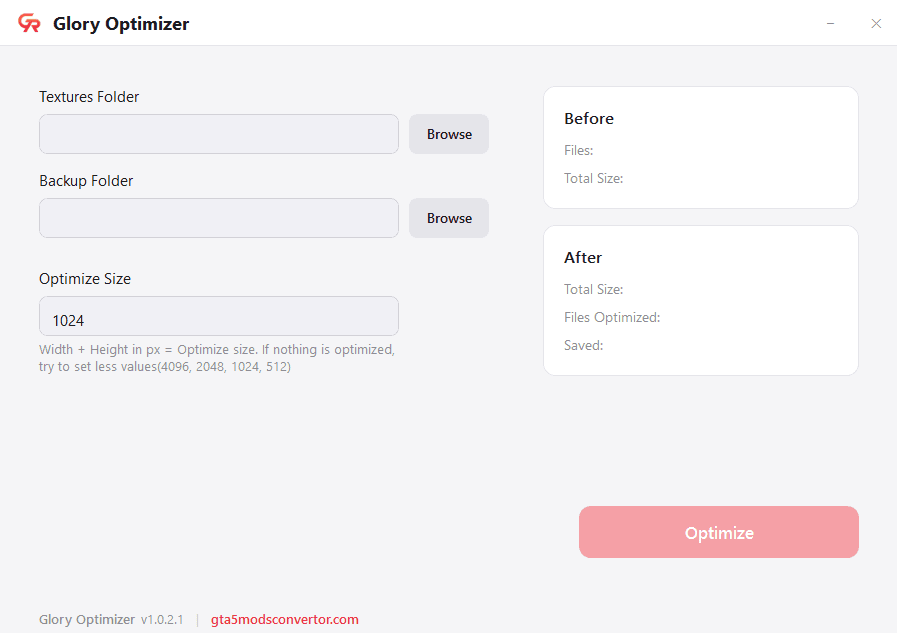
Select your textures folder and click Optimize
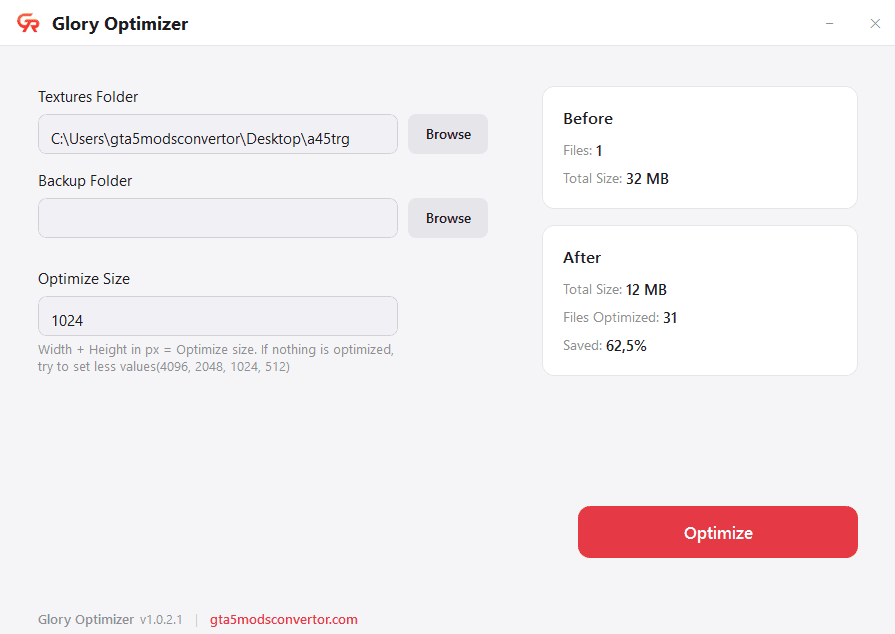
Before & After stats — 32 MB reduced to 12 MB (62.5% saved)
How It Works
Three steps. Select your folder, click optimize, done.
Select Folder
Choose the folder containing your .ytd texture files
Optimize
Click Optimize and the app downsizes textures while keeping quality
Smaller Files
Get optimized textures with before/after stats showing how much space you saved
Why Glory Optimizer
Built specifically for GTA V modders who need smaller texture files without losing quality.
Smart Texture Downsizing
Automatically downsizes oversized textures based on your threshold. Default 1024px, adjustable to your needs.
Batch Processing
Point it at a folder and optimize all .ytd files at once. No need to process files one by one.
Built-in Backup
Optionally back up your original textures before any changes. Never lose your originals.
Before & After Stats
See exactly how much space was saved with detailed file count and size comparison stats.
Common Questions
Everything you need to know about Glory Optimizer.
System Requirements
Windows 10/11 (64-bit)